
Cards By Purple1.07252018 - Google Play
You'll be able to see results in few seconds.
Publisher Description
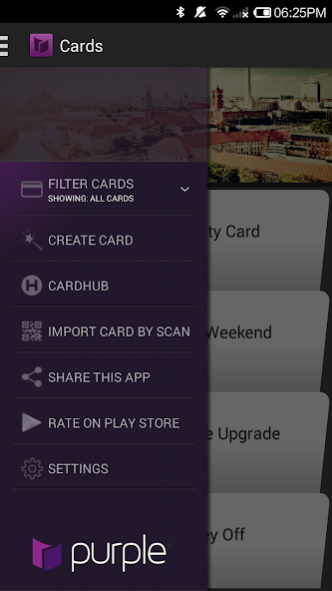
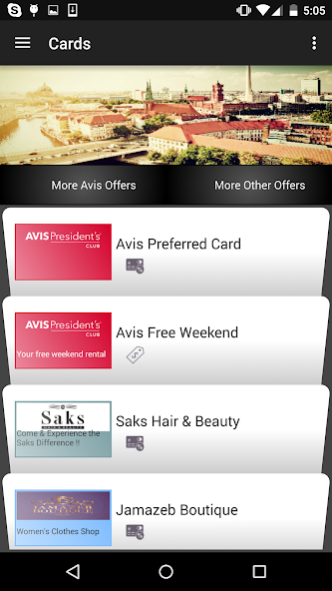
Cards by Purple is a lightweight consumer cardholder container app (to help you get rid of all those paper and plastic cards in your wallet) with a rolodex style experience to add and manage your preferred “store and business cards”, “offers and promotions”, all Apple Wallet (formerly Passbook) “passes” and Android Pay (formerly Google Wallet) cards IN ONE app on Android, and uses minimal permissions.
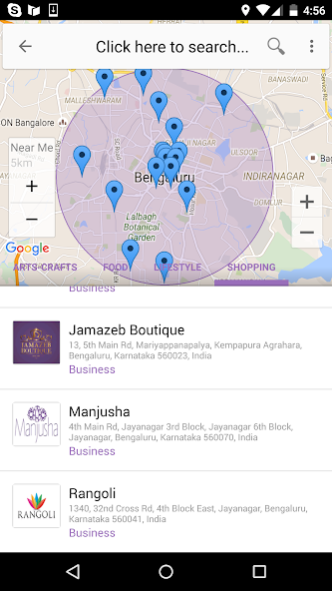
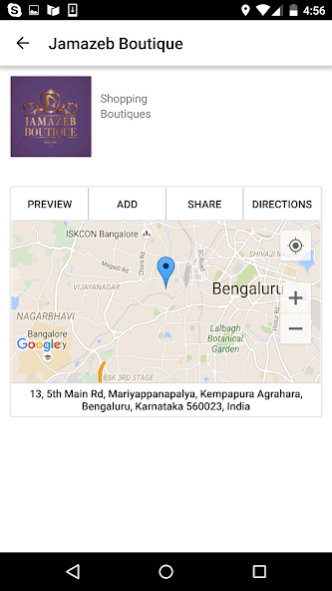
This app is build for consumers to engage with their preferred brands, businesses, vendors and stores without needing to download and install a mobile app from each one of them. This single app will allow, you the consumer, to “engage” with all your “preferred” businesses, brands, stores and vendors. The app connects you to a “Cards Marketplace", where you can search, discover local businesses, vendors and offers and “add” them to your apps' s tray (the Home Screen with a rolodex experience) of preferred “businesses and offers” that you would like to use and engage with at the right time and place.
The “Cards Business” app and Purple’s SmartEngage platform makes it very easy for any business to create their business profile, store or vendor information card and publish them to the “Cards Marketplace". Businesses can also create and publish offers and promotions to the “Cards Marketplace”. This consumer app let’s you opt-in to receiving “push” notifications and messages from your preferred businesses about instant offers and promotions. Additionally you can message and communicate with the businesses directly using the business cards that you have added to the app.
Offers and coupons, loyalty cards and gift cards developed for Android Pay with Purple SmartEngage platform can also be added, managed and used from the Cards by Purple application.
Cards by Purple supports all Apple Wallet (Passbook) pass types including coupons, loyalty and store card, boarding cards and gift cards. Apple Wallet passes developed by any provider can be added, stored and used from this app. This is particularly very valuable for customers who receive airline boarding card(s) as attachment (pkpass) or links and are on an Android device. They can add such boarding cards to this app.
Cards by Purple follows pkpass specifications to display your Passbook passes, boarding tickets, event tickets, coupons, store cards, and generic cards. It keeps your passes up-to-date, displays location notifications, time relevant pass notifications, display barcodes including QR, Aztec, PDF-417 formats, and more.
Passes and SmartPages can be conveniently installed in the app with a download url, SmartUrl, pkpass email attachment, pkpass file, or barcode scan. SmartPages are digital cards with a richer user-experience.
For questions and support please contact: support@likepurple.com
Card by Purple is an android application developed, distributed and supported by Purple Interactive Inc. More about Purple here: https://i.likepurple.com
“Apple Wallet”, "Passbook" & "iOS" are registered trademarks of Apple Inc.
“Android Pay” is registered trademark of Google Corp.
About Cards By Purple
The company that develops Cards By Purple is LikePurple. The latest version released by its developer is 1.07252018.
To install Cards By Purple on your Android device, just click the green Continue To App button above to start the installation process. The app is listed on our website since 2018-09-05 and was downloaded 0 times. We have already checked if the download link is safe, however for your own protection we recommend that you scan the downloaded app with your antivirus. Your antivirus may detect the Cards By Purple as malware as malware if the download link to com.likepurple.purple is broken.
How to install Cards By Purple on your Android device:
- Click on the Continue To App button on our website. This will redirect you to Google Play.
- Once the Cards By Purple is shown in the Google Play listing of your Android device, you can start its download and installation. Tap on the Install button located below the search bar and to the right of the app icon.
- A pop-up window with the permissions required by Cards By Purple will be shown. Click on Accept to continue the process.
- Cards By Purple will be downloaded onto your device, displaying a progress. Once the download completes, the installation will start and you'll get a notification after the installation is finished.
Program Details
System requirements
Download information
Pricing
Version History
version 1.07252018
posted on 2018-09-05
Disclaimer
Official Google Play Link
We do not host Cards By Purple on our servers. We did not scan it for viruses, adware, spyware or other type of malware. This app is hosted by Google and passed their terms and conditions to be listed there. We recommend caution when installing it.
The Google Play link for Cards By Purple is provided to you by apps112.com without any warranties, representations or guarantees of any kind, so access it at your own risk.
If you have questions regarding this particular app contact the publisher directly. For questions about the functionalities of apps112.com contact us.
